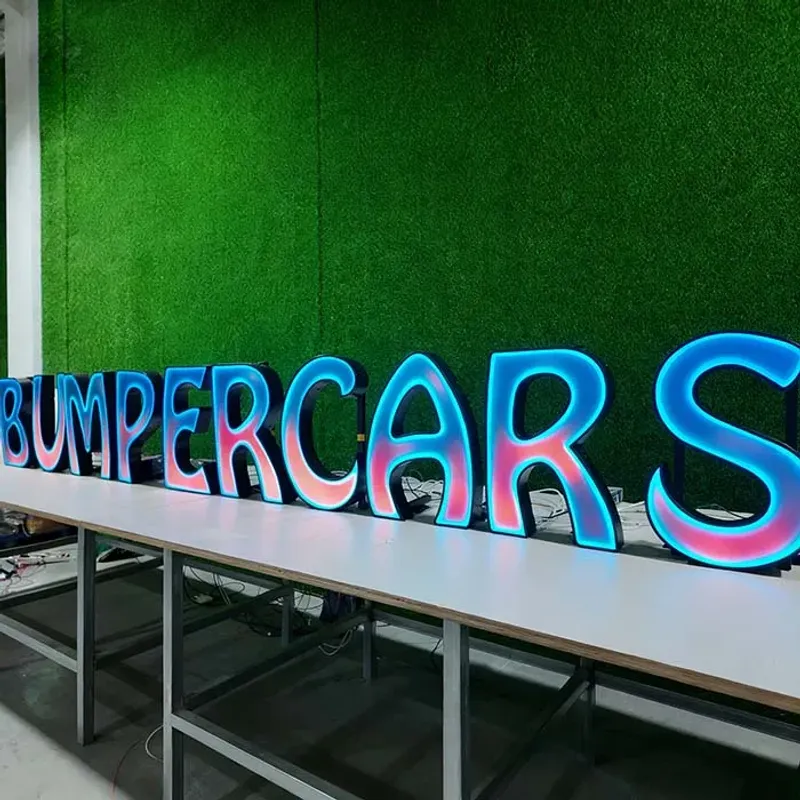
I remember it like yesterday. New kid on the crew, fresh out of a weekend course, gets handed the spec sheet for a client's channel letters. Customer wants “bright, but energy efficient.” Kid picks the cheapest SMD 2835 modules he can find – 100 lumens per watt, 0.2W each. Sounds good on paper. Three months after install, the "O" in "OPEN" is half dead. Dull gray solder joints. The client’s pissed, the boss is pissed, and I’m driving back at 10 PM to swap every module.
Don't make the mistake I made: trusting the lumens per watt number without checking the chip brand. That cheap module probably used a no-name LED from a factory that skips the aging test. Real SMD 2835 from Samsung or Osram? You’ll get your 100–150 lm/W for five years minimum. That fake Chinese knockoff? Twelve months, if you're lucky.
Here’s what the permit office won’t tell you: the energy code they’re enforcing doesn’t care about your lumens per watt – they care about the total connected load. If you put in modules that draw 0.3W each instead of 0.2W, you’re already over on the wattage allowance. And then you’ve got to rip it all out. I’ve seen shop owners eat $2,000 in labor to rewire because they skimped on LED specs.
I've installed signs in 30+ states, and I’ve lost count of how many times a supplier’s “6000K cool white” turned out to be a sickly yellow 4000K that dims after six months. The industry standard for LED module lifespan is L70 – the point where the light output drops to 70% of original. Good modules with Samsung chips: L70 ≥ 50,000 hours. That’s about 5.7 years of 24/7 operation. Cheap modules? L70 might hit 12,000 hours, if that. I’ve tested it.
Pro tip: if a module is advertised at 120 lm/W and costs $0.30, run the other way. The real cost of a quality SMD 2835 module – the kind with proper lead-free solder that shines silver, not dull gray – is around $0.50–0.80 at factory-direct pricing. The extra $0.20 per module saves you a service call and keeps your sign bright for years.
And don’t get me started on color temperature. 3000–3500K for hospitality – fine, it’s warm. 4000–5000K for retail – that’s where the biggest energy savings are, because the human eye perceives higher color temps as brighter even at lower lumens. You can run a 5000K sign at 80% of the power of a 3500K sign and it looks just as bright. Most designers don’t know that. Now you do.
Let’s talk watts and dollars. A typical front-lit channel letter set for a storefront – say eight letters, each about 18 inches tall – uses around 150 modules. At 0.2W per module, that's 30 watts total. Run it 12 hours a day, 365 days a year, at $0.12/kWh, you’re paying about $15.76 a year. That's nothing. But I’ve seen the same sign built with 0.3W modules – 45 watts – now you’re at $23.64. Over ten years, the difference is $78.80. Not a fortune, but when you multiply that across fifty franchise locations, it adds up.
Now compare that to a stainless steel non-lit sign: zero electricity, but you lose the visibility at night. Or a halo-lit backlit sign that uses SMD 5050 RGB modules – those can draw 0.5W each. You’re easily at 75–100 watts for a multi-color sign. That’s where energy codes get brutal. L.A. County limits sign wattage to 1.2 watts per square foot of sign face. I’ve had to scrap entire designs because the backlit halo letters blew the load calculation.
Here’s where factory-direct pricing turns the math upside down. A domestic fabricator will charge you $800 for a front-lit letter. The same letter – with the same Samsung LEDs and 304 stainless – costs $120 from a shop like Aochuang Sign (they’re in China, but they’ve got the certifications: CE, RoHS, ISO 9001, and they’ll sell you one piece, MOQ 1). You save 50–65% on product. Put that $680 difference into better LEDs and a higher-efficiency power supply. You can afford the 0.15W modules with L70 of 60,000 hours. Your sign will pay for itself in energy savings? Not exactly – the energy cost is low – but it’ll pay for itself in reliability. No callbacks, no dim letters.
You can have the best LEDs in the world, but if your acrylic face is cheap, it’ll yellow in two years and your brightness drops by 40%. I've installed this in a pharmacy in Phoenix – high UV, 110-degree days. They used domestic acrylic (1–2 year outdoor life). By month 18, the sign looked like it was made of piss-stained plastic. We ripped it off and replaced with Mitsubishi 3mm acrylic (90–92% light transmittance, UV-resistant for 5–8 years). The client saw the cost difference – about 30% more – but they saved two replacements over the next decade.
Pro tip: for letters over 2.5 meters tall, use 5mm acrylic minimum. Anything thinner and the face will warp in the heat, causing hot spots from the LEDs. That kills uniformity and makes the sign look cheap. I learned that the hard way on a bank sign in Texas. Three months after install, the "A" sagged. Not my finest moment.
And don’t even think about using aluminum backers with powder coating if you’re going for efficiency – aluminum conducts heat away from LEDs better than stainless, but if the coating is thick, it insulates. Stick with brushed or anodized aluminum, at least 1.0mm (0.040 inch) for small letters. For coastal jobs, 316 stainless costs 20–30% more than 304, but if you’re in Miami Beach and you use 304, you’ll be replacing letters in three years. That iron-and-nickel combo hates salt air.
IP65 sounds impressive. “Dust-tight and protected against water jets from any direction.” It means your sign can survive a rainstorm. It does NOT mean your sign survives a Florida hurricane. I’ve seen IP65-rated signs with seals that popped open under 80 mph wind because the installer used cheap silicone instead of neutral-cure. The water got into the LED channels, shorted the power supply, and the whole sign went dark. That’s a $3,000 fix.
IP68? That’s for submersible. Overkill unless your sign is going in a fountain. IP66 is the sweet spot for coastal or industrial – it handles powerful water jets. But the real killer is heat. LEDs generate heat. If your sign is a sealed box in direct sun, the internal temperature can hit 85°C. That cuts L70 life in half. Good sign designs use aluminum channels that act as heat sinks. I’ve seen factory-made units that include a thermal gap between the LED module and the acrylic. That adds 10–15% to the cost but doubles the useful life.
Don't make the mistake I made: skipping the 8–12 hour aging test before installation. Our shop always runs every sign on a test rig for a full day. We watch for flicker, heat buildup, and voltage drop. If a module fails in the test, it fails cheap. If it fails on the wall, you’re paying for a lift and a technician.
Here’s what the permit office won’t tell you about efficiency: voltage drop is your enemy. Twelve-volt LED modules lose brightness if the wire run is more than 20 feet. Use 18-gauge wire minimum for runs up to 30 feet. For longer runs, go to 14-gauge or step up to 24V modules. I’ve seen signs that were 10% dimmer on the far side because the installer used 22-gauge speaker wire. Rookie mistake.
Another thing: seal every joint with neutral silicone, not acetic cure. Acetic smells like vinegar, but it also corrodes copper wires over time. I've pulled apart five-year-old signs and found the wires green and brittle. That’s a fire hazard. Neutral cure silicone costs a few bucks more, but it’s non-corrosive. Use it.
LCL sea freight? I’ve been burned. Your crate gets handled 6 to 8 times between the factory and your job site. Every touch is a chance for damage. That’s not in the brochure. If you’re ordering factory-direct from China, pay for full plywood crates and foam inner packing. It adds maybe $50–80 to shipping, but it saves you from replacing bent stainless letters.
The last trick: match your power supply to your load. Don’t run a 60W transformer at 50W and think it’s safe. Most power supply failures happen because they’re under-loaded or over-heated. Aim for 80% load. And get a power supply with a 1-year warranty minimum – Aochuang includes one. Cheap supplies fail in 8–12 months, right after the warranty expires. That’s by design.
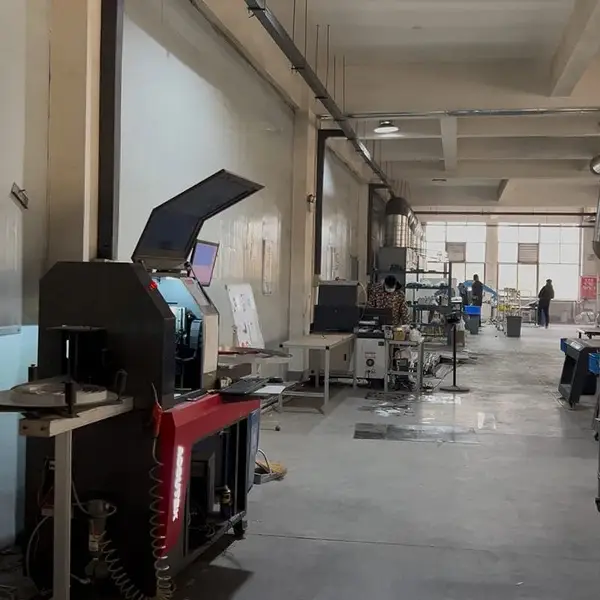
Real photo from our production floor — every sign we ship is made here.
Products mentioned or relevant to this topic — factory-direct, custom built.
From $24/letter · MOQ 1 piece · Flexible lead time · CE & UL certified · ships to 20+ countries
Custom sizes, colors, and finishes. Get a factory price in 24 hours.
Get a Free Quote Copy EmailWhatsApp +86 13865703472 · business@aochuangsign.cn
See pricing, specs, and get a free quote for the sign type you need. Built in our factory, shipped worldwide.