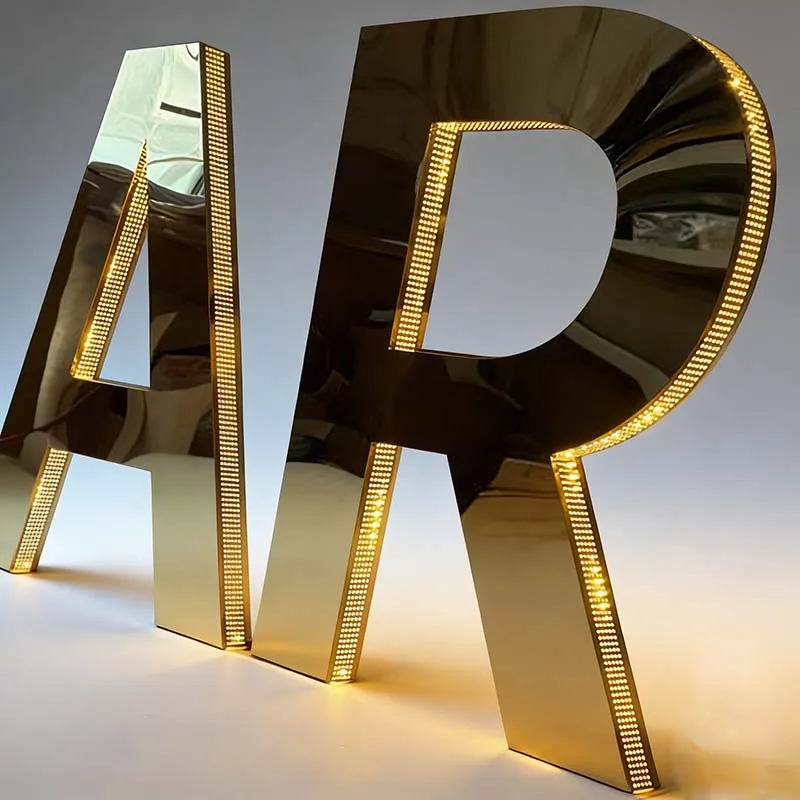
Photocells win for most illuminated signs. The number that settles it: SMD 2835 LEDs carry L70 ≥50,000 hours. Every daylight hour your sign runs is wasted life. I've wired both controls for 15 years. A photocell doesn't drift, doesn't lose time, and doesn't need a battery. A timer does all three eventually.
But not always. If your sign lives indoors or behind glass, a timer's fine. If it's outdoors, keep reading. The wrong call costs you service callbacks, not just hardware. I've seen a timer leave a stainless sign dark on a Saturday evening because it drifted after a power blink. Lost dinner crowd.
Look, I'm not burying the answer. Outdoor, photocell. Indoor, timer. Now let's dig into the "why" so you can defend the choice to a customer who read a blog post.
A timer control is a clock that opens and closes a relay at preset times. Set it for 5 p.m. to 11 p.m., and it does that every day until something changes. Changes happen. Daylight savings, seasonal sunset shifts, power flickers.
Mechanical timers drift. Digital timers with battery backup hold a schedule through an outage, but the battery dies in a couple of years. A dead backup battery plus a 2-second power blink wipes the schedule, and the sign either stays off or runs 24/7. I've seen a restaurant sign run through an entire weekend because nobody noticed the timer reset itself after a brownout. Monday morning the owner's staring at a power bill for a sign that was on at 3 a.m.
Astronomical timers solve drift, but they rely on latitude and longitude inputs. Installers type the wrong coordinates all the time. I watched a sign in Chicago turn on way too late in December because the installer used Miami coordinates. The customer thought the sign was broken. It wasn't. It was just lost.
A photocell is a light-sensitive resistor. When it's dark, it closes the circuit. When it's light, it opens. No clock, no schedule, no programming. That's the whole technology.
For a front-lit channel letter, mount the photocell in a shaded spot on the raceway or the letter's top edge. It reads sky light, not the sign's own glow. If it sees the sign's LEDs, you get a feedback loop: sign turns on, photocell sees light, sign turns off, photocell sees dark, sign turns on. Your sign strobes all night. I've watched a 4-foot double-sided lightbox do this until the customer asked if it was a feature. It wasn't.
Most photocell failures aren't the photocell. They're water intrusion at the wiring gland. Buy a control with an IP65-rated housing. That means dust-tight and protected against water jets from any direction. It doesn't mean submersion or hurricane survival. For a coastal sign, use IP66 and a drain loop in the conduit. If you're on a Florida beach, a 304 stainless sign lasts 10+ years outdoors, but a cheap control with a cracked gland kills it in one storm season.
A photocell runs your sign only when it's dark. A timer runs it when you told it to, whether or not the sun's still up. That's the entire energy argument. So the photocell wins in any outdoor application where sunset shifts by hours across the year. In Chicago, sunset swings from about 4 p.m. in December to 8:30 p.m. in June. A fixed 6 p.m. timer wastes over an hour of daylight in June. Every single day.
Look, front-lit channel letters run $0.7–$0.9 per centimeter of letter height. A 60cm letter is $42–$54 before shipping. The control is a rounding error. If you're sweating the control cost, you're losing the plot.
Nobody tells you this: the hardware cost isn't the issue. A photocell and a digital timer cost within a few dollars of each other. The real money is in runtime and service. SMD 2835 modules run 100–150 lumens per watt, with L70 ≥50,000 hours. A timer that adds an extra hour a day burns 365 extra hours a year. Over a decade, that's 3,650 hours — over 7% of the LED's rated life. A photocell doesn't burn that.
But here's the catch: cheap LED modules with a real lifespan of 12–18 months die before either control matters. I've replaced cheap modules on signs with brand-new photocells. The customer blamed the photo control. The actual problem was no-name modules. Our shop uses Rishang and Bluesky modules because they run 5+ years in the real world. Then the energy math actually works.
Outdoor sign, I'll take the photocell every time. Not because timers are junk — I've installed digital astronomical timers that ran for a decade. Because a photocell has one moving part: a relay. A timer has a motor, gears, a battery, and a UI that some maintenance tech will button-mash at 2 a.m.
Look, here's a common industry lie: "Our timer never needs reprogramming." Everything with a battery and a clock needs attention. Power flickers. Daylight savings changes. Leap years happen. I've had a timer lose its schedule after a 2-second outage because the backup battery was dead. The sign stayed on 24/7 for three weeks until the owner got a ridiculous power bill. The timer was cheap. The service call wasn't. The photocell on the sign next door never blinked.
Photocells fail too, usually by staying on or staying off. If they fail off, your sign is dark and the customer calls. If they fail on, your sign is still visible, which is why lazy shops don't replace failed photocells until the customer notices the bill. Don't be that shop. A failed photocell stuck on can burn thousands of extra hours a year, cutting into the L70 ≥50,000-hour rating of your LEDs.
In the U.S., you don't get to pick based on feel. NEC Article 600 covers electric signs. ASHRAE 90.1 and the IECC require automatic shutoff for outdoor sign lighting. California Title 24 specifically mandates either an astronomical timer or a photocell. That's not a suggestion from a manufacturer. That's code.
Inspectors rarely check actual operation. They look for a label that says "photocell" or "astronomical timer." So some shops slap a cheap photocell on the raceway, wire it in parallel with the manual switch, and call it compliant. That's a rookie mistake. A sign with a photocell bypassed by a wall switch isn't compliant. I've seen an inspector red-tag a sign because the photocell was mounted inside the storefront window. It never saw daylight, so the sign ran 24/7. The fix cost more than doing it right the first time.
Utility rebates pay per square foot for adding photocell or astronomical timer controls. You need the spec sheet, a photo of the installed control, and sometimes a signed statement. If the factory can't produce a CE certificate with today's date, don't trust the spec sheet either. CE marking costs 20,000–50,000 RMB to test. Many claim it. Ask for the test report. Watch them sweat. UL 48 certification for the sign itself costs $4,000–15,000 and takes 4–9 months. Don't let a cheap control void that work.
Here's my rule: outdoor sign, photocell. Indoor sign, timer or manual switch. But specific sign types add nuance.
For front-lit channel letters on a storefront, photocell. A retail sign needs to be on at dusk, not at 6 p.m. because someone set a timer in March. For double-sided lightboxes in a parking lot, photocell with a light threshold high enough that headlights don't trigger it. For architectural 304 stainless steel letters or backlit halos on a building, an astronomical timer can work if the electrical room is locked and the sign isn't customer-facing. But if the sign faces the street, photocell still wins.
For RGB or color-changing work like DMX programmable letters, you already have a controller with a schedule. Adding a separate timer or photocell creates a failure point. Use the controller's internal astronomical trigger if it has one. But if the controller loses power and resets, you need a battery-backed timer or a photocell as a hard override. I've seen a DMX sign stuck on full white after a brownout because the timer chip died. The customer called it "the ghost sign."
One more thing: if your sign is indoors but visible through a storefront window, local code may still require automatic shutoff. A basic indoor timer handles that. A photocell inside the window can work if it faces the glass, but don't mount it behind the sign's own glow. Seen that mistake too.
And if you're installing on a Florida beach, a 316 stainless sign costs 20–30% more than 304. Spend that first. A photocell won't save a sign that's rusting at the welds.
Mount the photocell on the north-facing side of the sign or raceway. North side sees stable sky light, no direct sun flares. If the sign has a canopy or soffit, recess the photocell at least 2 inches back so the sign's own glow doesn't hit it. I've watched a sign flicker for six months because the photocell was mounted only a few inches from a 6,500K LED module. The module's output tripped the sensor off at night. Then the sky went dark and the photocell turned it back on. Flicker. Customer said it looked like a disco.
Wire the photocell on the line side of the manual switch, not the load side. If you wire it on the load side, the wall switch bypasses the photocell when someone flips it on. That's a code violation under ASHRAE 90.1 and a guaranteed angry phone call. I've seen this go wrong on a large stainless sign at a car dealership. The sales manager flipped the switch Monday morning to "test" the sign. Friday the sign was still on. Wasted electricity.
Use stranded wire, not solid, for the photocell leads. Solid wire cracks when the sign flexes in wind. Seal the knockout hole with neutral silicone. In our shop, we laser cut at ±0.1mm, TIG weld, CNC the acrylic faces, assemble the LEDs, and run an 8–12 hour aging test. Run that test with the photocell covered and uncovered. If the sign won't turn on and off, don't ship it. I don't care if the customer is waiting. A sign that fails at 2 a.m. costs you more than a late truck.
One last thing: if you're pairing a photocell with a 304 stainless sign, make sure the mounting bracket isn't creating a thermal bridge. Stainless conducts heat, and a photocell baked on a black raceway in Phoenix fails in one summer. Use a small standoff bracket or a shaded plastic housing.
Do I need both a photocell and a timer? No. Unless local code specifically says both — and some large signs do — one is enough. I've seen quotes add both for "redundancy." That's upselling. A good digital astronomical timer has a photocell input anyway. Connect the photocell to it and move on.
How do I test a photocell? Cover it with your hand. The sign turns on. Uncover it. The sign turns off within 30 seconds. If it cycles on and off, the mounting location is bad. Don't shine a flashlight into it. You'll blind the sensor and wonder why the sign stays on.
Which is cheaper to run? Photocell. It only runs when it's dark. Timers run when you told them to, even if the sun's still up. But the difference on one sign is maybe a few dollars a year. The real cost is callbacks from a drifted timer. That's money out of your margin. A photocell doesn't drift.
Do photocells work with LEDs? Modern ones do. Old magnetic photocells sometimes flickered with LED drivers because the load was too low. If your sign uses an LED driver, get a photocell rated for LED loads. If the factory can't tell you the load rating, buy from someone else. And pair it with Rishang or Bluesky modules. They run 5+ years without flicker because the driver handles the current properly.
Products mentioned or relevant to this topic — factory-direct, custom built.
From $16/letter · MOQ 1 piece · Flexible lead time · CE & UL certified · ships to 20+ countries
Custom sizes, colors, and finishes. Get a factory price in 24 hours.
Get a Free QuoteWhatsApp +86 13865703472 · cairuisheng@aochuangsign.cn