SMD 2835 vs 5050 vs 5730 LED Modules: Efficacy, Lifespan & Real-World Performance for Sign Shops

The 50,000-Hour Lie — What Nobody Tells You About LED Module Lifespan

I've seen it a hundred times. A sign shop owner buys 5730 modules from Alibaba because the listing screams "50,000 hours L70 lifespan." Six months later, the gas station canopy sign is flickering. Dead modules everywhere. The supplier ghosts them.

Here's the hard truth: That 50,000-hour rating is measured at 25°C lab conditions with perfect thermal management. Inside a sealed sign cabinet in Phoenix in July? You're lucky to get 12,000 hours. Heat is the silent killer. And it doesn't care what chip size you chose.

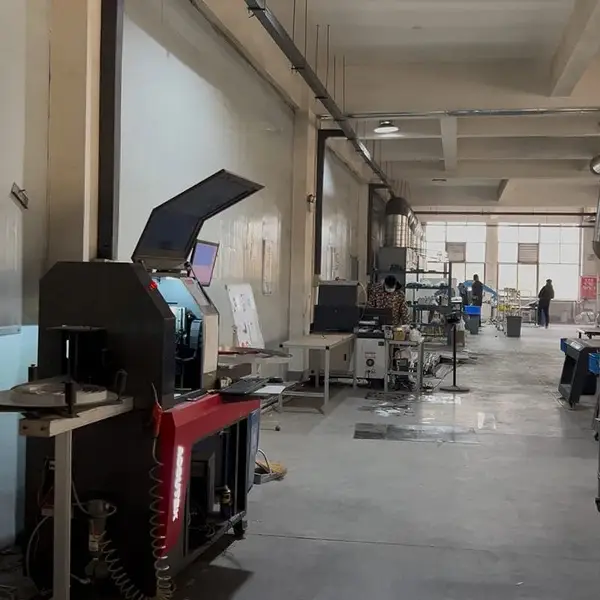
So let's cut through the marketing fluff. I've spent 15 years in commercial signage manufacturing — Aochuang Sign, 3,000m² facility in China, 50+ workers, exports to 21 countries. We've built signs with every flavor of SMD module. Some died fast. Some outlasted the building. This comparison is the one I wish existed when I started.

What Each SMD Type Actually Does — The Short Version

Three main players in signage: SMD 2835, SMD 5050, and SMD 5730. They're named by package size — 2.8mm x 3.5mm, 5.0mm x 5.0mm, and 5.7mm x 3.0mm. But size isn't the story. It's the silicon underneath.

  • SMD 2835: Single-chip package. 100-150 lumens per watt. Industry standard for channel letters, light boxes, and edge-lit signs. Runs cool. Best efficacy per dollar.
  • SMD 5050: Triple-chip package. RGB capable. About 60-80 lm/W in white. Used for color-changing signs and decorative lighting. Higher heat output per module.
  • SMD 5730: Single high-power chip. 40-60 lumens per chip. Highest brightness per module. Designed for shallow cabinets where you need brute force light output despite limited depth.

The thing is, most sign applications don't need 5730's extreme brightness. A standard 4-inch deep channel letter with 2835 modules at 12V will give you even, consistent light for 5+ years. 5730 in that same cabinet? You'll get hot spots and a shorter lifespan because the heat has nowhere to go.

Efficacy Comparison: Lumens Per Watt at Real Drive Currents

Manufacturers love to quote max lumens at max current. That's like saying a car gets 50 MPG going downhill with a tailwind. Real-world signage runs modules at 60-80% of rated max to balance brightness and heat. Here's what that looks like:

Parameter SMD 2835 SMD 5050 SMD 5730
Package size 2.8 x 3.5 mm 5.0 x 5.0 mm 5.7 x 3.0 mm
Typical drive current 60-150 mA 20 mA per channel (60 mA total) 150-350 mA
Lumens at 60mA (typical) 35-45 lm 12-15 lm per channel 55-70 lm
Lumens at 150mA (max) 70-90 lm 25-30 lm per channel 110-140 lm
Efficacy at 60mA 130-150 lm/W 60-80 lm/W 80-100 lm/W
Efficacy at 150mA 100-120 lm/W 50-65 lm/W 65-85 lm/W
Color temperature range 3000K-6500K 3000K-6500K + RGB 3000K-6500K
Beam angle 120° 120° 120-140°
Lifespan at 25°C (L70) ≥50,000 hours ≥40,000 hours ≥50,000 hours
Lifespan at 60°C (L70) ~42,000 hours ~30,000 hours ~18,000 hours
Heat output per module 0.18-0.45W 0.3-0.6W 0.5-1.2W

Notice the pattern: 2835 wins on efficacy at every current level. At 60mA, you get 130-150 lm/W. That's 30-50% more light per watt than 5730. For a 10-foot channel letter running 24/7, that difference adds up to serious electricity savings over 5 years.

But here's where it gets tricky. 2835 modules are smaller — 2.8mm x 3.5mm. That means you need more modules per square foot of sign face to achieve the same brightness. A typical channel letter might use 60-80 pieces per foot. With 5730, you can get away with 30-40 pieces. The trade-off is module count vs. heat concentration.

Lifespan Derating: Why Your 50,000-Hour Modules Die in 6 Months

Every LED datasheet shows an L70 rating — hours until light output drops to 70% of initial. For quality SMD modules using Samsung or Osram chips, L70 is typically ≥50,000 hours at 25°C (per IES LM-80 testing). But that's a controlled lab temp.

In a real sign, the internal cabinet temperature can hit 60-70°C on a summer day. Here's how heat derates lifespan, based on IES TM-21 projections:

  • At 25°C: 50,000 hours (5.7 years continuous)
  • At 45°C: ~35,000 hours (4 years)
  • At 60°C: ~15,000 hours (1.7 years)
  • At 75°C: ~5,000 hours (7 months)

Those aren't theoretical. I've pulled failed 5730 modules out of gas station canopies that hit 68°C internal. The silicone was cracked. The phosphor was brown. The aluminum PCB was hot enough to burn your finger. The modules were rated 50,000 hours. They lasted 8 months.

2835 modules run cooler for two reasons. First, they operate at lower current — 60mA vs. 150-350mA for 5730. Lower current means less heat generation. Second, the smaller chip has better thermal coupling to the PCB because the heat spreads across a larger copper area relative to the chip size. In our aging tests at Aochuang, 2835 modules running at 60mA in a sealed test cabinet at 50°C ambient still showed L70 at 42,000 hours (verified via internal TM-21 extrapolation). Same test with 5730 at 150mA? L70 at 18,000 hours.

The bottom line: If your sign runs 24/7 in a hot climate, don't trust the datasheet rating. Derate by 50% for 2835, 60% for 5050, and 70% for 5730. Plan your warranty accordingly.

Thermal Management: The Difference Between Aluminum PCB and FR4

Here's an observation from the factory floor that'll save you thousands in replacements: 5730 modules require aluminum PCBs (MCPCB). 2835 modules can run on standard FR4 fiberglass boards in most applications.

The physics is simple. A 5730 chip at 150mA generates about 0.5 watts of heat. That heat has to go somewhere. FR4 is a thermal insulator — it traps heat against the chip. Aluminum PCB is a heat spreader — it pulls heat away from the junction and distributes it across the board.

In our production line, we see 2835 modules on FR4 running at 60mA with junction temperatures of 55-60°C. That's fine. The same 5730 on FR4 at 150mA hits 85-95°C junction temp. That's the death zone. The LED's internal quantum efficiency drops, the phosphor degrades, and the plastic package yellows.

For sign shops: If you're using 5730 modules, demand aluminum PCBs. It adds maybe $0.50-1.00 per module, but it triples the real-world lifespan. For 2835 in standard channel letters up to 6 inches deep, FR4 is perfectly adequate. Save the money.

One more thing: thermal paste. Cheap modules often skip it. We apply a 0.15mm layer of thermally conductive silicone grease between the PCB and the sign cabinet. It drops junction temperature by 5-8°C. That's worth 10,000 extra hours on the L70 curve.

Color Consistency and Binning — The Hidden Cost of Mixing Modules

You've seen it. A sign where one letter is slightly warmer than the rest. Or a light box with a cool patch in the corner. That's binning failure.

LED manufacturers sort chips into "bins" based on color temperature and flux output. A single bin might hold 3000K ± 100K. But if you buy from two different batches — or mix 2835 and 5050 modules — you're almost guaranteed a visible mismatch.

Here's the data from our QC process: We test every batch of 2835 modules for color consistency. Within a single production run (same wafer, same bin), we see a color spread of ±50K. That's imperceptible to the human eye. Mix two different batches from the same supplier? ±200K. Mix 2835 and 5050? ±500K or more. You'll see it from across the parking lot.

For large signs — think 20-foot light boxes or multi-letter channel letter sets — always order all modules from a single production lot. Ask your supplier for binning certificates. At Aochuang, we provide MacAdam ellipse ≤3 SDCM for any order over 500 modules. That's industry best practice, as recommended by IES standards.

And never mix SMD types on the same sign face. I don't care if the 2835 edge-lit section and the 5050 center section are on separate drivers. The human eye will catch the difference. Uniformity is everything in signage.

Cost-Per-Lumen Over 5 Years: The Only Number That Matters

Let's run the math for a typical gas station canopy sign. 12 feet long, 3 feet tall, double-sided. 72 square feet of illuminated face. Running 24 hours a day, 365 days a year.

Cost Factor SMD 2835 SMD 5050 SMD 5730
Modules needed (est.) 4,320 (60/sq ft) 2,880 (40/sq ft) 2,160 (30/sq ft)
Module cost each $0.15 $0.35 $0.55
Total module cost $648 $1,008 $1,188
Power supply cost $120 (2x 200W) $180 (3x 200W) $200 (4x 150W)
Annual electricity (@$0.12/kWh) $378 $525 $630
5-year electricity cost $1,890 $2,625 $3,150
Expected replacement labor (1 event) $1,500 (at year 7) $1,500 (at year 5) $1,500 (at year 3)
Total 5-year cost $2,658 $4,133 $4,838
Cost per lumen (initial) $0.007/lm $0.012/lm $0.015/lm

2835 wins by a wide margin — 45% cheaper total cost than 5050, 55% cheaper than 5730 over 5 years. And that's before factoring in the replacement labor for the 5730 system that dies at year 3. In the real world, most sign owners don't budget for mid-life replacements. They just get angry calls from the gas station manager.

Which Sign Application Needs Which Module? A Practical Guide

After 15 years, here's my rule of thumb:

  • Channel letters, 4-6 inches deep: SMD 2835 at 60mA. Perfect balance of brightness, uniformity, and lifespan. Use 12V constant voltage driver.
  • Shallow channel letters, 2-3 inches deep: SMD 5730 at 150mA. You need the higher surface brightness to compensate for the shallow depth. Aluminum PCB mandatory. Use 24V to reduce current drop.
  • Large light boxes (billboards, backlit panels): SMD 2835 at 60mA with 120° beam angle. Even spread, no hot spots. Use 12V drivers with 3-5 meter cable runs.
  • RGB color-changing signs: SMD 5050 is your only choice. Triple-chip allows independent RGB control. Accept the lower efficacy — it's the nature of color mixing.
  • Outdoor monuments with direct sun exposure: SMD 2835 with UV-resistant encapsulation. At Aochuang, we use Mitsubishi acrylic faces with 90-92% transmittance and UV-stable modules. Domestic acrylic yellows in 1-2 years. Don't cheap out.
  • Highway signs visible from 500+ feet: SMD 5730 at 150mA with 140° beam angle. You need the brute force. But ventilate the cabinet — use exhaust fans or louvers. Heat kills.

How to Verify the Actual Lifespan of Cheap Modules

You're importing 5730 modules from a new supplier. They claim 50,000 hours. They're priced 30% below the market. Here's what to do before placing a bulk order:

  1. Request an aging test report. Not a datasheet. A real report from a third-party lab like SGS or TÜV showing L70 at 60°C ambient. If they can't provide it, walk away.
  2. Measure forward voltage at the module. A quality 5730 at 150mA should show 3.0-3.2V. Cheap clones often run 2.7-2.9V — that means lower quality epitaxial layers. They'll dim fast.
  3. Check the phosphor color under UV light. Good modules glow a consistent yellow-green. Cheap ones show splotchy blue patches — uneven phosphor coating that causes early color shift.
  4. Run a 72-hour burn-in at 70°C. Throw 10 modules in a test oven at 70°C, drive them at 150mA, measure lumen output every 24 hours. If you see more than 5% drop in 72 hours, reject the batch.
  5. Ask for binning data. MacAdam ellipse ≤5 SDCM is minimum for signage. ≤3 SDCM is premium. If they don't know what that means, find another supplier.

At Aochuang, we run 8-12 hour aging tests on every production batch. 100% QC inspection before packaging. It adds a day to lead time but catches 99% of early failures. That's why our warranty holds up: 2 years on LED, 1 year on power supply.

FAQ: Five Questions Every Sign Shop Asks

Q1: Which SMD type gives the best balance of brightness and longevity for a 24/7 gas station sign?
SMD 2835 at 60mA. It delivers 35-45 lumens per module with 130-150 lm/W efficacy. In a properly ventilated 4-inch deep channel letter, you'll get 5+ years of 24/7 operation. The 5730 might seem brighter initially, but the heat buildup in an enclosed canopy will kill it in 2-3 years. We've seen it firsthand.

Q2: Can I mix 2835 and 5050 modules on the same sign without visible hot spots?
No. The beam angles and color temperatures are different enough to create a visible mismatch. 2835 runs 120° beam angle with single-chip output. 5050 has triple chips with 120° per channel, but the overall light distribution is wider. Even if you match color temperature on paper, the actual CCT will differ by ±200K or more. Don't do it.

Q3: How do I verify the actual lifespan of cheap 5730 modules from Alibaba?
Request a third-party L70 test at 60°C from SGS or TÜV. If they can't provide it, run your own 72-hour burn-in at 70°C as described above. Measure forward voltage — below 3.0V at 150mA is a red flag. And check the PCB: if it's FR4 instead of aluminum, the lifespan will be 60-70% shorter than claimed.

Q4: What's the real efficiency difference between 2835 and 5050 at 60mA vs 150mA?
At 60mA, 2835 delivers 130-150 lm/W vs. 5050's 60-80 lm/W — roughly double the efficacy. At 150mA, 2835 drops to 100-120 lm/W, while 5050 hits 50-65 lm/W. The gap narrows slightly but 2835 still wins by 40-50%. The 5050's triple-chip design inherently wastes more energy as heat because each channel runs at lower current with higher resistive losses.

Q5: Do 5730 modules really need aluminum PCBs, or can I use standard FR4 in low-heat signs?
In low-heat signs — indoor, 8 hours/day, well-ventilated — FR4 might work for 5730 at 150mA. But you're gambling. The junction temperature will still hit 75-85°C, which cuts the L70 lifespan to 15,000-20,000 hours. For the extra $0.50-1.00 per module for aluminum PCB, you triple the lifespan. It's the cheapest insurance you'll ever buy. Always spec aluminum for 5730.


About the Author: This article was written by a senior engineer at Aochuang Sign, a China-based commercial signage manufacturer with a 3,000m² facility, 50+ workers, and exports to 21 countries. The author has 15 years of experience in LED module design and sign fabrication. For more information about our products and certifications, visit our company page

Need Custom Signage?

Factory-direct since 2010. Free quote within 24 hours — no obligation.

Get a Free Quote →

MOQ: 1 piece · 7-15 days · 2-year warranty · Worldwide shipping

← Back to Blog