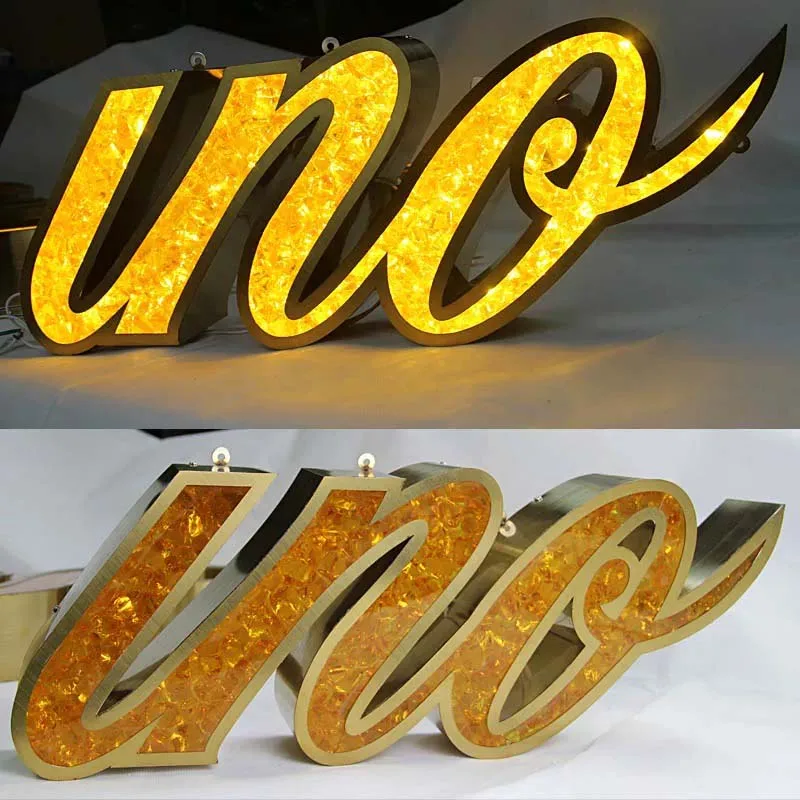
Let me tell you something I learned the hard way after 15 years in this business. The average school campus spends 30% of its signage budget on replacements within the first three years. Not because the signs wore out. Because they were designed wrong from day one. Wrong materials. Wrong mounting. Wrong thinking about how kids actually treat things.
Here's the thing. A university campus isn't a shopping mall. It's a high-impact, high-vandalism, weather-beaten environment where signs need to survive freshmen orientation stampedes, winter freeze-thaw cycles, and the occasional misguided frisbee. If you're quoting a school job without factoring in real-world abuse, you're leaving money on the table—and setting yourself up for a warranty headache.
I run a 3,000m² facility in Lu'an, China—Aochuang Sign. 50 skilled workers. Exports worldwide. We've shipped everything from single acrylic letters to full campus wayfinding systems. Here's what I've learned about making school signage that actually lasts.
Every sign shop owner knows the drill. School district puts out an RFP. Low bid wins. Six months later, the signs are peeling, fading, or cracked. Then they call you for replacements. Repeat cycle. It's profitable, sure. But it's not sustainable, and it kills your reputation.
The real money is in specifying materials that survive. Let me break down what works and what doesn't for exterior campus wayfinding.
For sign faces, acrylic is the standard. But not all acrylic is the same. Mitsubishi or Degussa UV-resistant acrylic delivers 90-92% light transmittance and lasts 5-8 years before yellowing, per industry testing. Domestic acrylic? You're lucky to get 1-2 years. I've seen it turn yellow in six months on a south-facing building in Arizona. The difference in cost is maybe 15-20% more for premium. The difference in lifespan is 400%. Do the math.
For sign bodies, you have three real choices. Stainless steel 304 gives you 10+ years outdoor life, consistent with ANSI standards for exterior signage. Common gauges are 1.0-3.0mm. Brushed #4 finish hides scratches better than mirror #8. If the campus is within 5 miles of salt water, step up to 316 marine grade—it contains 2-3% molybdenum and lasts 15+ years. You'll pay 20-30% more, but you won't get pitting corrosion in year three.
Aluminum is lighter—one-third the weight of steel—and naturally rust-proof. For campus signs, 0.040-0.063 inch (1.0-1.6mm) aluminum with powder coating is a solid mid-range option. Expect 8-12 years outdoor life. Anodized finish is even harder, but limits color options.
But here's where most sign shops screw up. They use the same material for the entire sign. Smart specifiers use composite systems. Aluminum composite panels (ACP) for large backgrounds. Stainless steel for trim and letters. Polycarbonate for high-impact areas like athletic fields or student union plazas. Polycarbonate is 250 times more impact-resistant than acrylic, per ASTM impact testing. It scratches easier, yes. But it doesn't shatter when a skateboard hits it.
I visited a high school in Texas last year. Their main entrance sign was three years old. Looked like it had been through a war. Graffiti on the aluminum. Scratched acrylic. Missing letters. The facilities manager told me they'd already spent $12,000 on repairs and replacements.
The problem wasn't the sign. It was the materials. They used standard powder-coated aluminum with domestic acrylic. No protective coating. No anti-graffiti laminate. No vandal-resistant fasteners.
Here's what we recommend for high-traffic school environments:
Weather is the other killer. Water ingress destroys LED signs faster than anything. IP65 is the minimum for outdoor signs—it's dust-tight and protected against water jets. But for coastal campuses or areas with heavy rain, go IP66. It handles powerful jets from any direction. IP68 is submersible, but overkill for most campuses unless you're doing signs near pools or in flood zones.
Sealing matters too. Use neutral-cure silicone, not acid-cure. Acid-cure silicone corrodes aluminum and can cause LED failures within months. We seal every joint, every wire entry, every seam. Then we run an 8-12 hour aging test in our facility. Every sign. No exceptions.
I've seen sign shops lose six-figure contracts because they didn't know ADA requirements. Here's what you need to know for campus signage.
The Americans with Disabilities Act requires tactile signs in certain locations. For permanent room identification and directional signage, you need Grade 2 Braille. Mounting height is 48-60 inches from the floor to the baseline of the tactile characters. The characters must be non-glare—that means matte finish, not glossy. Contrast must be at least 70% between text and background.
Here's the tricky part for campuses. Schools want their branding colors. Deep navy blue with dark green letters looks great in a brochure. But it fails ADA contrast requirements. You need to balance brand identity with accessibility. The solution is to use the school's primary color as the background and a high-contrast white or light gray for the text and Braille. Add a thin border in the secondary brand color. The sign reads as branded, but it's compliant.
For exterior wayfinding, the rules are different. The 2010 ADA Standards apply to exterior paths of travel. Signs identifying accessible routes, parking, and entrances must have non-glare finishes and high contrast. But tactile characters aren't required for most exterior signs—unless they're mounted in a fixed location that someone with visual impairment would approach closely.
My advice? Design every sign as if it will be inspected. Because it might be. Schools are public entities. They get audited. Non-compliance can trigger Department of Justice investigations. I've seen it happen. The sign shop gets dragged into the lawsuit because they "should have known better."
You can have the best materials in the world. If the wayfinding system is confusing, the signs are useless. I've walked campuses where the signs were beautiful but nobody could find the admissions office.
The hierarchy is simple. Three levels of signs. Level one: identification signs at building entrances and major intersections. Level two: directional signs that guide people along paths. Level three: informational signs at decision points.
For a university campus, you need to separate pedestrian and vehicle flow. Vehicle signs should be larger—36 inches or more—and mounted higher. Pedestrian signs can be smaller, 18-24 inches, mounted at eye level. Never mix the two. A driver can't read a 12-inch sign at 35 mph. A pedestrian won't look up to read a 48-inch sign.
Color coding zones is powerful. Use the school's existing colors. Academic buildings in blue. Dorms in green. Athletic facilities in red. Parking in gray. The key is consistency. Every sign in the blue zone uses the same font, same icon, same background treatment. Students learn the system in one walk across campus.
I recommend a modular system for exactly this reason. Build a standard post and foundation design. Then make interchangeable sign panels. If the school adds a new building, they don't replace the whole sign—just swap the panel. Our standard panel system uses a 4-inch diameter aluminum post set in a concrete footing, 24 inches deep minimum. The sign face slides into a channel frame secured with tamper-proof screws. Replacement takes 15 minutes.
I've seen beautiful signs fail because they were installed wrong. The concrete footing was too shallow. The post wasn't plumb. The sign was mounted at the wrong height.
For ground-mounted signs, concrete footings are non-negotiable. Minimum depth is 24 inches for a 6-foot sign. Go deeper in freeze-thaw zones—36 inches minimum. The footing should be 3-4 times the diameter of the post. For a 4-inch post, that's a 12-16 inch diameter hole. Use 3,000 PSI concrete with rebar reinforcement for signs over 8 feet tall.
Pole-mounted signs on buildings need different treatment. Use stainless steel brackets rated for the sign weight plus wind load. For a typical 4x4 foot sign, that's about 60-80 pounds. Wind load in most areas adds another 50-100 pounds depending on location. Don't use aluminum brackets for heavy signs—they fatigue and crack. Stainless steel 304 with 18% chromium and 8% nickel is the standard.
For wall-mounted signs, the mounting height matters. ADA requires 48-60 inches to the bottom of the sign for tactile signs. But for general directional signs, 60-72 inches is typical for pedestrian visibility. Never mount a sign where a door swing can hit it. That's the most common mistake I see.
Lighting is another factor. Exterior signs need illumination for nighttime visibility. LED backlighting is the standard. For channel letters, front-lit gives 100-150 lumens per watt with SMD 2835 modules. Back-lit halo letters create a premium look but cost 50-100% more per letter. For campus wayfinding, internal LED illumination in the sign cabinet is usually sufficient. Use 4000-5000K color temperature for corporate or academic settings. It's neutral, clean, and works with most building materials.
Here's the table that changes how sign shops sell to schools.
| Material/System | Upfront Cost (per sq ft) | Expected Lifespan | Annual Replacement Rate | 10-Year Total Cost |
|---|---|---|---|---|
| Domestic acrylic + aluminum | $8-12 | 2-3 years | 30-50% | $40-60 |
| UV acrylic + stainless 304 | $15-25 | 8-10 years | 5-10% | $20-35 |
| Polycarbonate + stainless 316 | $25-35 | 12-15 years | 2-5% | $30-45 |
| Modular system (aluminum + UV acrylic) | $20-30 | 10-12 years | 3-8% (panel swaps only) | $25-40 |
Notice the pattern. The cheapest upfront option costs the most over 10 years. Schools that buy cheap aluminum with domestic acrylic spend twice as much in the long run. The modular system is the sweet spot—slightly higher upfront, but panel swaps cost 70% less than full replacements.
And here's the kicker. Factory-direct pricing from a manufacturer like Aochuang Sign saves 50-65% compared to US retail pricing. A front-lit channel letter that costs $200-700 installed in the US costs $20-80 FOB from our factory. The shipping adds cost, but even with Section 301 tariffs at roughly 30%, the savings are substantial.
For a typical campus project with 50-100 signs, the difference between retail and factory-direct can be $50,000 to $150,000. That's real money for a school district.
Everyone asks about digital wayfinding kiosks. Here's my honest take. They're cool. They're interactive. They're also expensive and fragile.
A single outdoor-rated digital kiosk runs $5,000-15,000 installed. It needs power, data, and regular software updates. The screen has a lifespan of 3-5 years in outdoor conditions. Replacement cost is 60-80% of the original. And in a K-12 environment, screens get touched, punched, and vandalized.
For universities with deep budgets, digital kiosks at major intersections make sense. They can show real-time building occupancy, event schedules, and emergency alerts. But for K-12 schools, static signs with clear hierarchy and color coding are more cost-effective. The money saved on digital can fund better materials and more signs.
My recommendation? Use digital sparingly. One or two kiosks at main entrances. Supplement with high-quality static signs throughout the campus. The static signs will still be working in 10 years. The kiosks will be replaced twice.
Q: What are the best materials for outdoor campus signs that resist graffiti and extreme weather?
For impact resistance, use polycarbonate instead of acrylic for ground-level signs. For weather resistance, stainless steel 316 in coastal areas, 304 elsewhere. Add anti-graffiti sacrificial coatings—they cost $5-8 per square foot but save thousands in cleanup. Use quality LED modules with L70 ≥50,000 hours—Samsung or Osram chips. Cheap modules fail in 12-18 months.
Q: How do I ensure my signage meets both ADA standards and the school's branding requirements?
Use the school's primary color as the background and white or light gray for tactile characters and Braille. Add a thin border in the secondary brand color. Maintain 70% minimum contrast between text and background. Mount tactile signs at 48-60 inches. Use matte, non-glare finishes. This approach satisfies ADA while preserving brand identity.
Q: What is the typical lifespan of exterior wayfinding signs, and how can I extend it?
Premium materials: 8-15 years. Budget materials: 2-3 years. Extend lifespan by using UV-resistant acrylic (Mitsubishi/Degussa, 5-8 years before yellowing), stainless steel 304 (10+ years), or stainless 316 (15+ years in marine environments). Proper sealing with neutral-cure silicone. IP65 minimum, IP66 for coastal areas. Annual inspections to catch small issues before they become big problems.
Q: Are digital wayfinding kiosks worth the investment for K-12 schools compared to traditional signs?
Generally no. Digital kiosks cost $5,000-15,000 each and need replacement every 3-5 years. Static signs with modular panels cost less upfront and last 10-12 years. For K-12 budgets, invest in high-quality static signs first. Consider one or two digital kiosks at main entrances only if the budget allows. The return on investment for static signs is significantly better.
Q: What are the most common mistakes in campus signage placement that lead to confusion or non-compliance?
Three big ones. First, mounting signs where door swings hit them—always check door clearance. Second, mixing vehicle and pedestrian signs at the same height—drivers need larger signs mounted higher. Third, inconsistent color coding and typography across the campus—students learn the system through repetition. Also, failing to account for landscaping growth. A sign that's visible at installation may be hidden by bushes in two years. Plan for maintenance access.
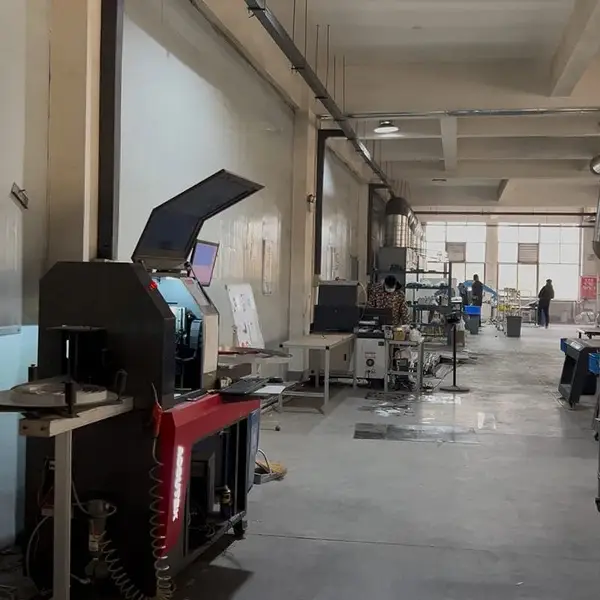
Real photo from our production floor — every sign we ship is made here.
Products mentioned or relevant to this topic — factory-direct, custom built.
From $24/letter · MOQ 1 piece · Flexible lead time · CE & UL certified · ships to 20+ countries
Custom sizes, colors, and finishes. Get a factory price in 24 hours.
Get a Free Quote Copy EmailWhatsApp +86 13865703472 · business@aochuangsign.cn
See pricing, specs, and get a free quote for the sign type you need. Built in our factory, shipped worldwide.